
Bookshelves that match yours
Shelf by shelf, with room for what’s next. Each bookcase tells you how many more volumes fit.
Build bookshelves the size of the ones in your room, place every volume spine by spine, then walk around them. It’s the part of collecting a spreadsheet never shows you.
Join the beta on Discord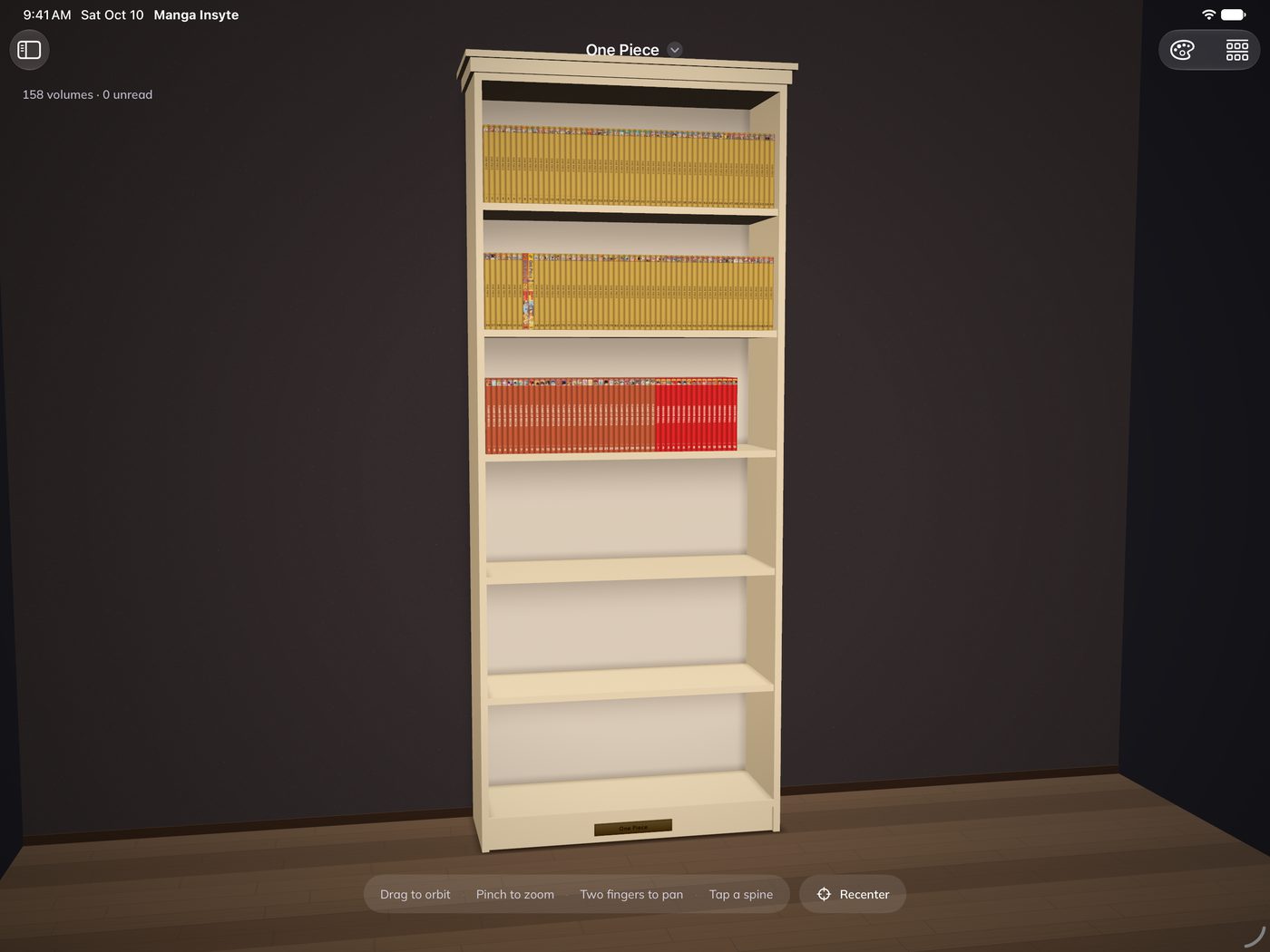
Shelf by shelf, with room for what’s next. Each bookcase tells you how many more volumes fit.
Arrange spine by spine, or auto-place a whole series in order.
Anything without a home waits in Unplaced, so nothing gets lost between boxes and shelves.
The Showcase stands your shelves in a room. Drag to orbit, pinch to zoom, tap a spine to open the volume.
Highlight unread and the pile you haven’t touched lights up on the shelf.
Share a finished series as a cascade of covers, free on every plan.
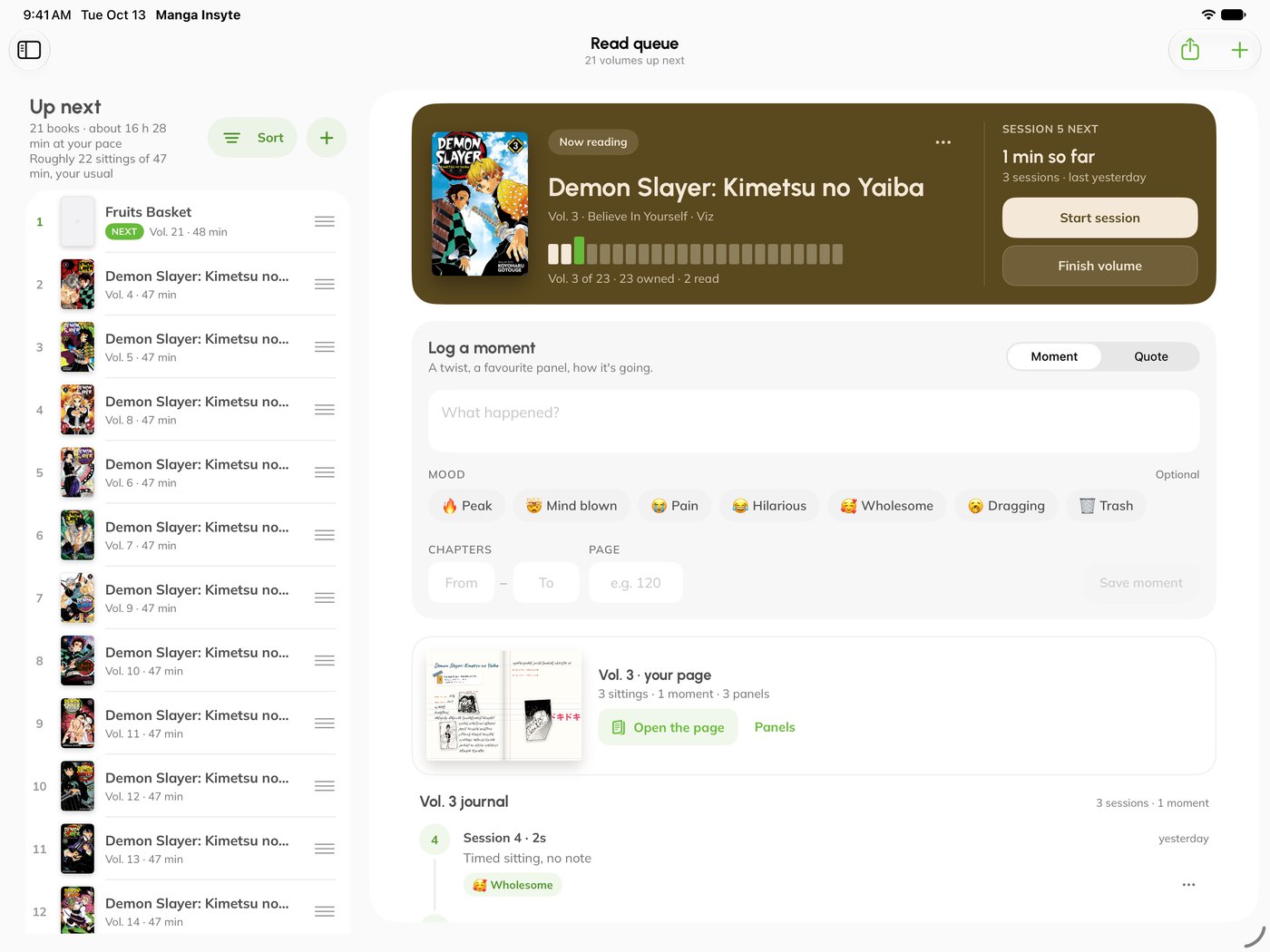
Add your volumes. Search a series and add everything you own in one tap.
Build the bookcase. Give it shelves and a size, like the one in your room.
Place and walk around. Drop volumes on, then open the Showcase.
Coming soon to iPhone and iPad.
Coming soon toiPhone & iPadWant in early? Join the beta on our Discord